

GIS Courses


- AIA CES
- AICP CM
- CNU-A
- SACPLAN CPD


- AIA CES
- AICP CM
- CNU-A
- SACPLAN CPD

- AICP CM
- CNU-A
- SACPLAN CPD

- AIA CES
- AICP CM
- CNU-A
- SACPLAN CPD

- AICP CM
- CNU-A
- SACPLAN CPD


- AIA CES
- AICP CM
- CNU-A
- SACPLAN CPD



- CIP
- AIA CES
- AICP CM
- SACPLAN CPD

Top GIS Instructors












Master Urban Planning Skills With A Planetizen Courses Subscription.
Sign up
High quality video lessons developed by experts.

Complete course work to receive a certificate from Planetizen.

Test your comprehension with course quizzes.

Access reading lists, articles, and other materials prepared by instructors.
All GIS Courses
GeoDesign with CommunityViz: Land Use Designer
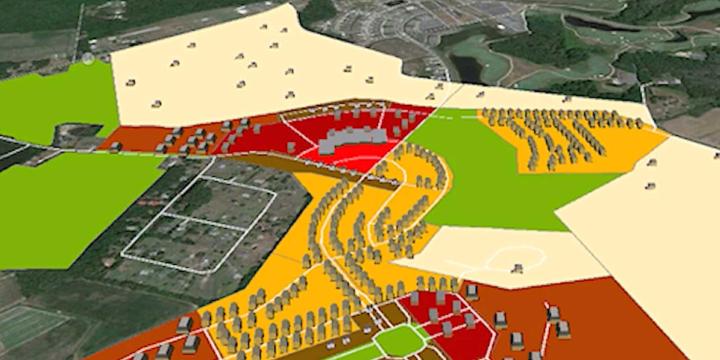
Learn how the CommunityViz extension of ArcGIS can guide the design of a project and assess the project's impact. This course specifically focuses on a suitability analysis using essential functions and the Land Use Designer wizard.


The DIY Form-Based Code: Research and Development
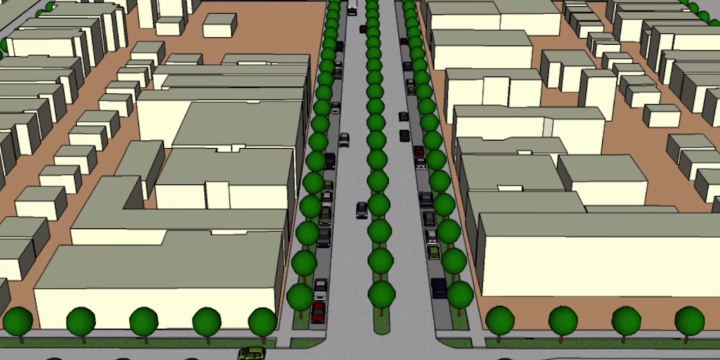
Covering concepts critical to developing the foundation for a code, this course takes a a tour through the creation of a code for the hypothetical city of Wrightville.
Drawing in the Landscape: Water and Oil
This is the fourth and final course in the Drawing series. In this course we inquire into the nature of observing and representing color works in transitive environments, building upon the initial sketch, and beginning water color and oil technique.
Drawing in the Landscape: Painting Color
This is the third course in the Drawing series. In this course we inquire into the nature of observing and representing color works in transitive environments, building upon the initial sketch, and beginning watercolor technique.
The DIY Form-Based Code: An Introduction
Citing standards and design guidelines from SmartCode and The Form-Based Code Guide, this first of several courses introduces a novel, iterative, and testable methodology.
AutoCAD for 3D Modeling
Most planners and designers don't use just one drawing or visualization program. In this course you'll learn how to create 3D drawings in AutoCAD and how to use AutoCAD in concert with other programs, such as Adobe Illustrator and Sketchup, to create illustrative plan, section, and perspective views.
AutoCAD for Site Planning
This course establishes a workflow for an illustrative site plan, including how to represent existing conditions and create detailed plans for specific areas within a larger project. Building on AutoCAD 101, learn to draw more complex plans using aerial imagery, photography, and hand-drawn sketches as the base layer.
AutoCAD 101
This course provides an introduction to AutoCAD’s essential functions for first-time users and demonstrates how to create site plans, street sections, and other two-dimensional scaled diagrams.
SketchUp for Planners - Intermediate Part 1
Building on Introductory SketchUp for Planners, this course introduces intermediate SketchUp users to the program’s geolocation functions and demonstrates how to create more complex models of planned projects or developments. Additionally, this course illustrates how to create and export video walk-throughs of SketchUp models using the program’s animation features.
Working with Census.gov 1: Background and Geography
This first of four courses on the Census -- Background and Geography -- will prime you to understand how the Census works, where the data comes from, as well as vital terminology and data sets you should be familiar with in the built environment.
Working with Census.gov 2: Topics, Programs, Products
This second of four courses delves deeper into the Census 'architecture'. In course 2 of "Working with Census.gov", Dr. Chris Williamson, a.k.a. Dr. Data, provides an overview on the federally mandated topics that lead to programs which ultimately produce products for the public. Course 2 also delves into such tricky topics as Census data table analysis and gives insider tips and goodies from a Census Bureau veteran.
Working with Census.gov 3: Interacting with the Data
This third of four courses takes you into a series of live demonstrations and in-depth explanations and visuals from the Census.gov and American FactFiner websites. The course covers a comprehensive navigation of the pages, tools and interactive databases that form the expansive Census website and publicly accessible data stores and produced information.
Working with Census.gov 4: Quality, Interpreting and Examples
Chris Williamson, A.K.A. "Dr. Data" completes the final episode in this four course series on the 'architecture' and 'analysis' of the Census Bureau and its many products. In course 4 students will go through a brief introduction to margin of error and a range of error and data quality analysis. Along with some examples and case studies, this course takes us into Dr. Data's own Ventura County, California for a look at some of the more challenging sampling and non-sampling errors many planners and demographers must wrestle with.
Introductory Population Analysis with Excel
Whether you're new to population analysis or just need a refresher, this course offers a comprehensive overview of the steps necessary to conduct analysis and develop projections using publicly available data. The course reviews Census data and builds skills, such as population projection, cohort survival, and concentration calculations that are essential for every professional in the planning and design community.
SketchUp for Planners - Intermediate Part 2
In addition to accurately modeling projects, as demonstrated in the introductory courses, SketchUp is also useful for illustrating more abstract concepts, such as FAR, dimensional requirements and design guidelines. This course demonstrates how planners use SketchUp to illustrate requirements in zoning codes, design guidelines and form based codes.
SketchUp for Planners - Intermediate Part 3
Combining SketchUp and Adobe Creative Suite, this course demonstrates how to use SketchUp together with Adobe Photoshop, Illustrator and InDesign to create illustrative and informative photo simulations, perspective views, sections and site plans.
SketchUp for Planners - An Introduction
Get started using SketchUp, the popular, easy-to-learn 3D digital modeling program. This course provides an introduction to how planners and architects represent three-dimensional objects in two-dimensions, with step-by-step instructions for creating and using simple 3D models.
SketchUp for Planners - Modeling Complex Forms and Structures
Master the advanced features of SketchUp, including modeling historic structures and real-world buildings, working with SketchUp Plugins, and modeling complex forms.
Regional Scenario Planning: An Overview
This first of two courses offers a brief history of regional scenario planning in the late 20th century and beyond, with examples from Portland, Oregon's Vision 2040, Salt Lake City's Envision Utah, and the Chicago Metropolis Plan. Principles of regional planning relating to land use, urban design, and transportation are discussed. Finally, more advanced regional planning topics are touched on, including jobs/housing balance, and the relationship between demographics and regional housing market demand.
Illustrator for Planners - Intermediate
Adobe Illustrator is widely recognized among design professionals as the premier vector drawing software, with many valuable design and mapping applications for urban planning. This course builds upon the Introduction to Illustrator course, giving you step-by-step instructions on some of the more complex tools that come with Illustrator CS5.